CallNode Phone
A web phone for the numbers you already have
Answer and make calls on your CallNode numbers in a browser. Hand a call to voicemail, your AI receptionist or another number, and read and send texts. Add a user for each person on your team. Nothing to install.
CallNode Phone cannot call 911 or other emergency numbers. They are refused in the app and by the phone service, and every device shows this notice once before it is used. In an emergency, use a mobile phone or landline.
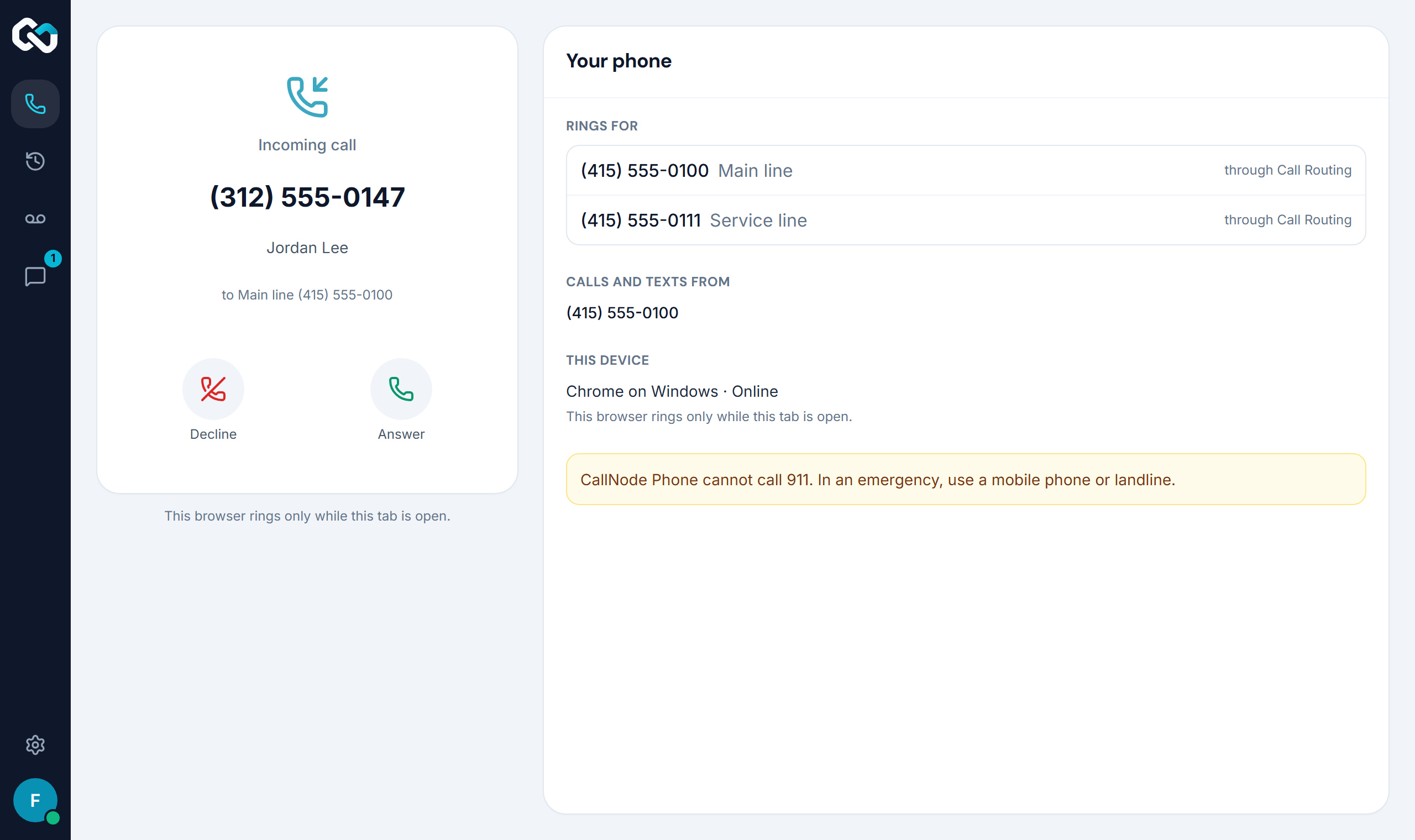
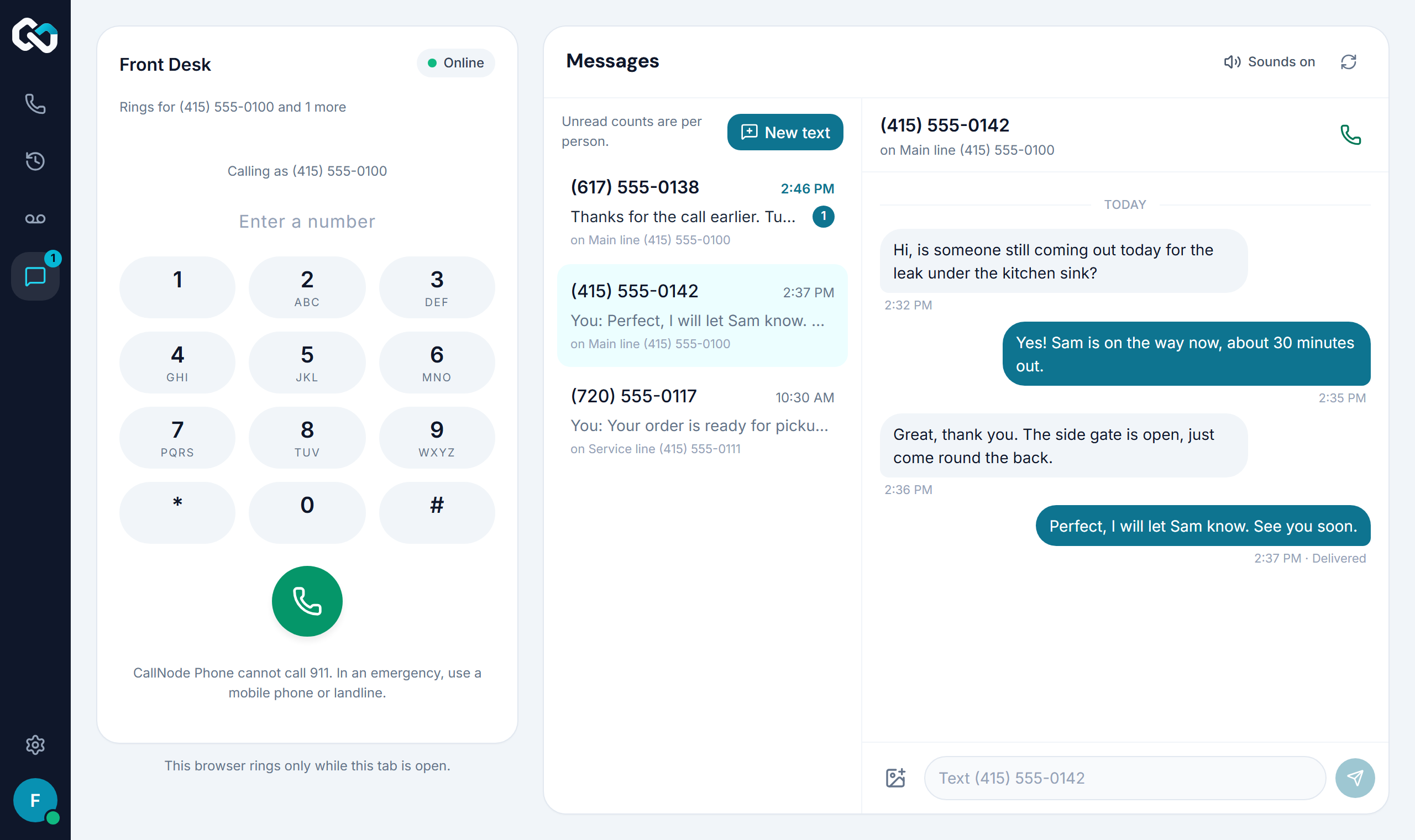
CallNode Phone, with sample numbers.
The phone for your CallNode numbers
Answer
Calls to the numbers that ring you appear in your browser. Answer or decline, put a caller on hold with music, and send touch tones from the keypad.
Call out
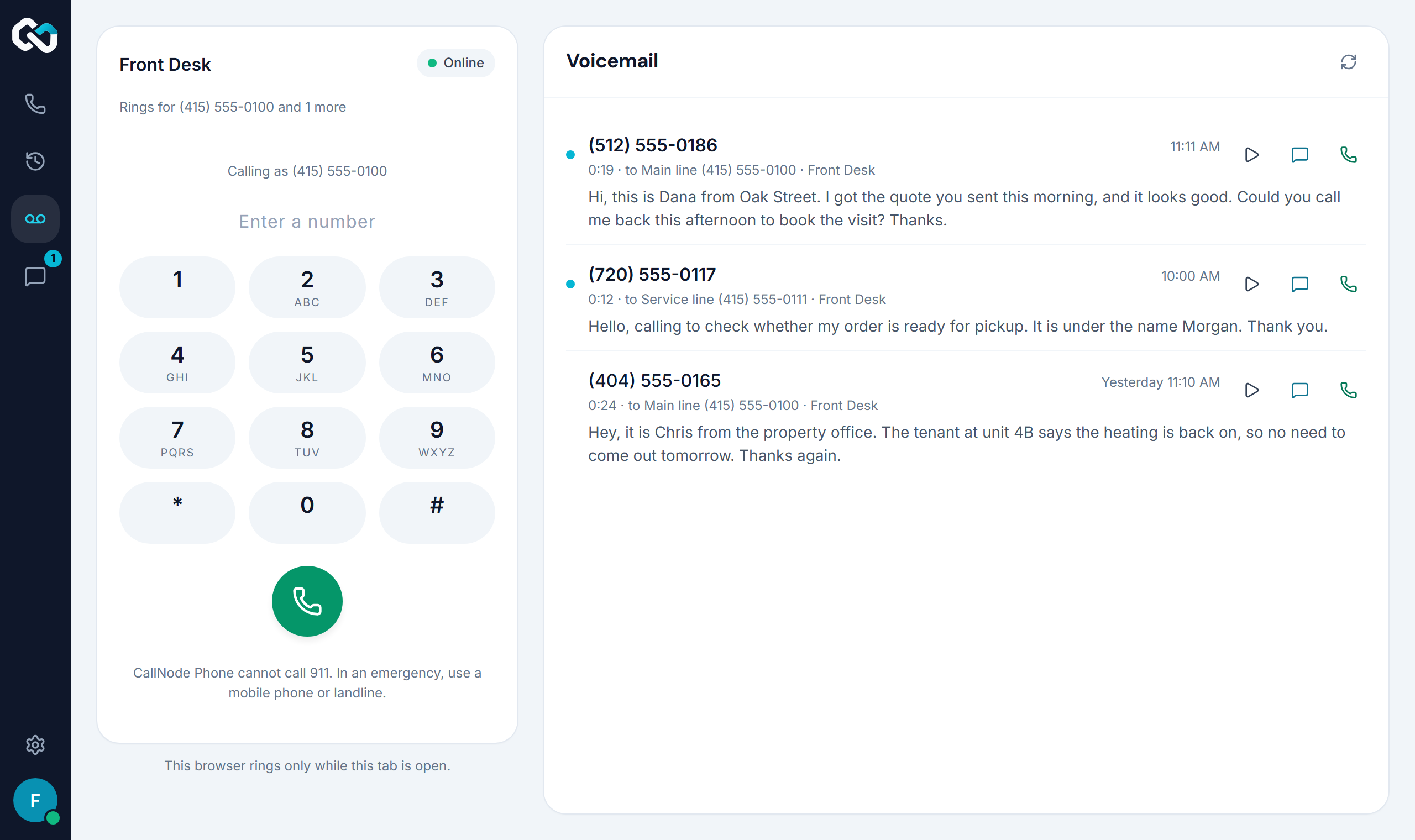
Dial US and Canadian numbers, or any number in +international form, from your number once it is verified as a caller ID: within 8 am to 9 pm at the called number’s local time, and never to numbers on do-not-call lists.
Text
Every conversation on your numbers in one Messages panel. Reply from your number, with up to three pictures.
CallNode Phone is a web softphone: a phone that runs as software, here in a browser tab. One user per person, nothing to install.
Set up in three steps
- 1
Add a user
Under Dashboard → CallNode Phone, add a user for each person: a name, and the number their calls and texts come from. Every plan includes one user; each extra user has a monthly fee.
- 2
Choose what rings them
In Call Routing, pick the user for a number, for a digit in your phone menu, or as the failover of another destination. A number can also be sent to a user from its own page.
- 3
Turn on a device
Press Open CallNode Phone on the user’s row, or sign in at callnode.io/phone with your CallNode email. For someone else, make a pairing code on their row: they enter it at the same address, and that browser becomes one of their devices. They never see your dashboard, your wallet or your other numbers.
Calling out? Verify the number as a caller ID first: Numbers, open the number, Caller ID card. It takes about a minute (verification is automatic), and until it is done the dial pad says so and calls out are refused.
Where a call goes
A call to a number that rings a user rings every device they are signed in on. The first to answer takes it; the others show “Answered on another device”.
If nobody answers within 25 seconds, the call goes to the user's voicemail if you turned it on, or to the number's own failover. With neither, the caller hears a short unavailable message. Decline sends the caller there at once.
A menu that reaches a person
“Press 1 for the office” rings the office manager’s CallNode Phone. “Press 2 for opening hours and prices” goes to your AI receptionist.
The office answers in the browser, the receptionist after hours
While you are open, your main number rings CallNode Phone; when you are closed, your AI receptionist answers.
Call Routing: business hours, a phone menu, voicemail and failover
Hand a call off
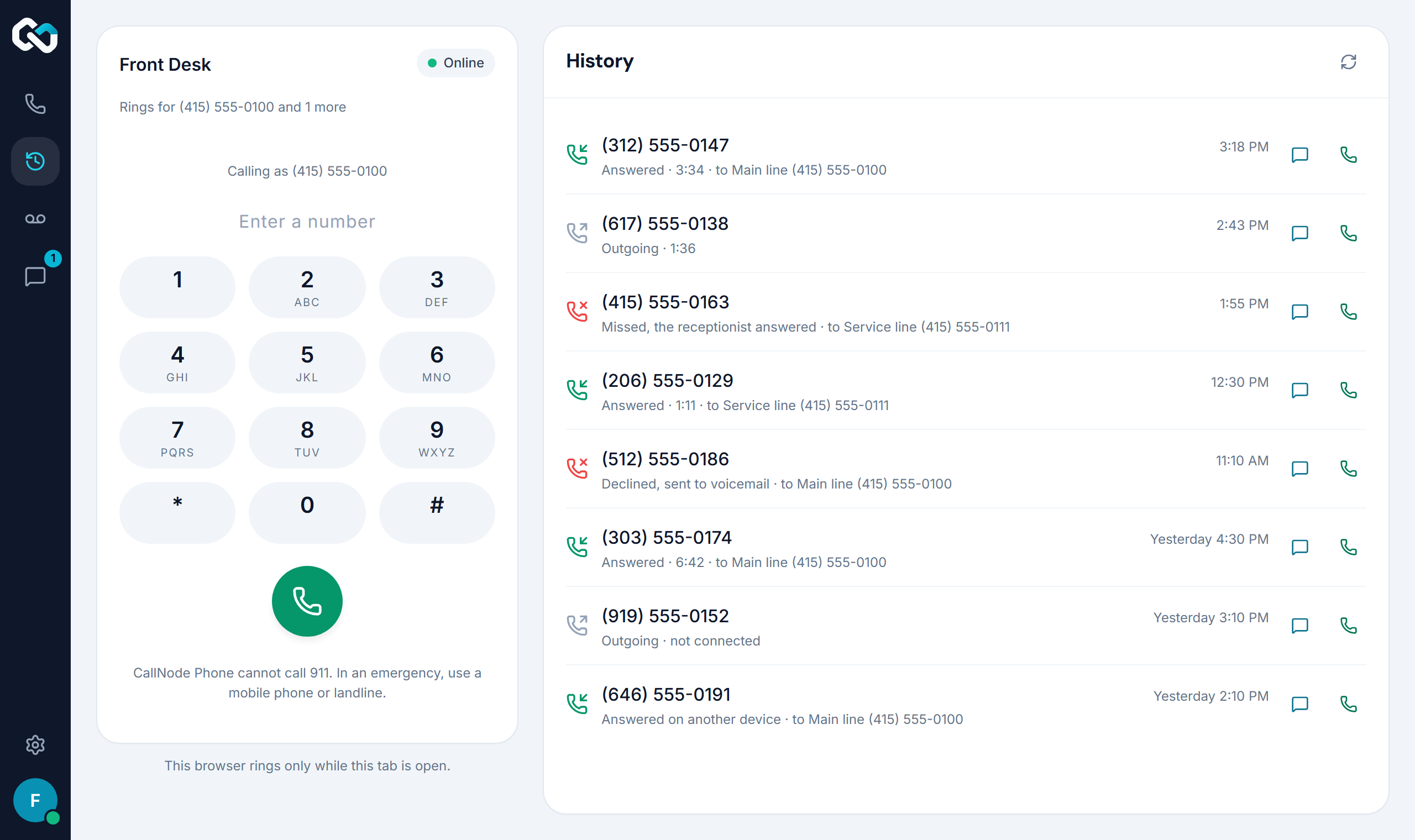
Take the calls you can, and pass on the ones you can't. While a call you received is connected, hand it off, without a consult, to:
| Hand off to | What the caller gets | Needs |
|---|---|---|
| Voicemail | Your voicemail greeting; the message appears in your Voicemail panel | Voicemail turned on for the user |
| Your AI receptionist | Your receptionist, as if the number had been routed to it | An AI receptionist set up on the account (AI receptionist) |
| Another number | A new call to that number; you drop out once it connects | The same calling rules as a call out |
Calls you placed cannot be transferred yet.
Calling out, by the rules
Calls from CallNode Phone follow exactly the rules of calls placed through the CallNode API:
- a verified account and a funded wallet;
- the number you call from verified as a caller ID; until it is, calls out are refused and the dial pad says so;
- the 8 am to 9 pm window at the called number’s local time (your own certified lines in the Phone Book are exempt);
- do-not-call lists and destination classes;
- at most 25 attempts to one number per week;
- two calls at a time and six a minute per user.
The caller ID people see is the number you call from. Calls to your own CallNode numbers stay on the platform, follow that number's Call Routing, and are free.
Texts on your number
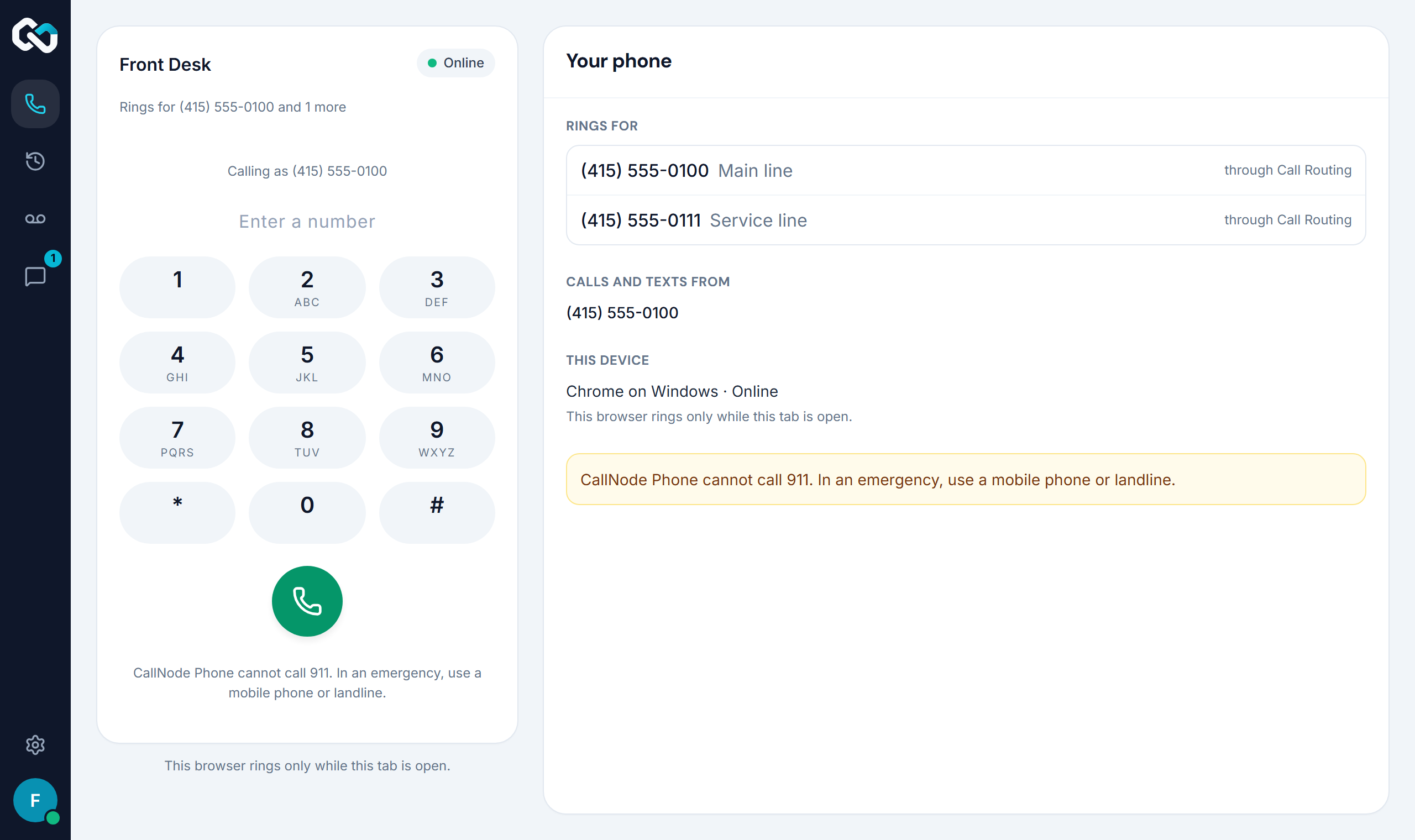
The Messages panel shows every conversation on the numbers that ring you, plus the number you call from. Texts go out from that number, with up to three pictures; large photos are resized in the browser. For each number, you choose who answers its texts: a CallNode Phone user, or the number's webhook.
Texts from the phone follow the same rules as texts sent through the API:
- the number is registered for messaging: a registered campaign on a local number, or a verified toll-free number (messaging);
- texts go out only between 8 am and 9 pm in the recipient’s local time (your own certified lines in the Phone Book are exempt);
- someone who replied STOP is not texted again.
Texts bill at your SMS and MMS rates.
Devices and access
Up to three devices
Each user can be signed in on up to three devices at once. A call rings all of them, and the first to answer takes it.
You stay in control
The dashboard lists each device with its browser and when it was last used, and can sign one out. Reset access signs every device out and cancels waiting pairing codes. Sign-ins last 30 days of use and end after 90.
Desktop browsers
Works in Chrome, Edge, Firefox and Safari on desktop. Each device chooses its microphone and speaker in Settings, and can turn on notifications so a call still shows while the tab is hidden.
Keep the tab open
It rings only while a CallNode Phone tab is open.
Works on office networks
Encrypted audio in the browser, over the same secure port as any website. If your network blocks the usual audio path, the audio is relayed instead, with nothing to change on your side. A locked-down office firewall needs to allow the phone hosts listed in the docs.
What it costs
First user
Included in every plan
Each extra user
$5 a month, from your wallet
Calls
$0.02 a minute, received or placed, on pay as you go. On the Pro Bundle, its included minutes are used first.
Texts
Your SMS and MMS rates: $0.01 per SMS and $0.04 per MMS on pay as you go with a local number.
- The included user cannot be deleted, only renamed.
- Calls between your own CallNode numbers are free.
- Every figure comes from the same table that bills you.
What CallNode Phone doesn't do
Call 911
Or any other emergency number. Use a mobile phone or landline.
Ring without an open tab
It rings only while a CallNode Phone tab is open.
Run as an app
Today it is the web phone only: there is no desktop app and no iOS or Android app yet.
Transfer a call you placed
Or do a consult transfer. Received calls are handed off without a consult.
Work as a PBX
No extensions, desk phones, queues or ring groups. A number rings the user Call Routing sends it to.
Video or screen sharing
That is CallNode Meet, a separate product.
Call outside the calling rules
No calls without a verified caller ID, outside 8 am to 9 pm at the called number’s local time, or to numbers on do-not-call lists.
CallNode Phone or Web Voice?
| Question | CallNode Phone | Web Voice |
|---|---|---|
| Who is in the browser | Your people, answering and making calls on your numbers | Visitors to your website, calling you |
| Where it lives | callnode.io/phone | A call button on your own site |
| Page | This page | Web Voice |
Goes well with
- Call Routing: Business hours, a one-level menu, voicemail and failover. A CallNode Phone user is one of the places a call can go.
- AI Receptionist: Answers your number in your business name when you can’t, and takes the calls you hand to it.
- CallNode Meet: Browser meetings, for when a call should be a meeting.
Frequently asked questions
What is a web phone?
A phone that runs in a web browser instead of on a desk phone or an installed app. CallNode Phone is one for the numbers in your CallNode account: you answer, make and hand off calls and send texts in a browser tab, with nothing to install.
What is a softphone, and is CallNode Phone one?
A softphone is a phone that runs as software on a computer instead of as a desk phone. CallNode Phone is a softphone that runs in your browser, for your CallNode numbers, so there is nothing to install.
Can I use my PC as a phone?
Yes, for the numbers in your CallNode account. Sign in at callnode.io/phone in Chrome, Edge, Firefox or Safari on your computer, and calls to the numbers that ring you appear there. Each device chooses its microphone and speaker in Settings.
How can I answer my phone on my computer?
Add yourself as a CallNode Phone user, choose the number for you in Call Routing, and keep a CallNode Phone tab open. Turn on notifications so a call still shows while the tab is hidden. It works with the numbers in your CallNode account.
How can I make a call from my laptop without a phone?
Open CallNode Phone in your laptop’s browser and use the dial pad: US and Canadian numbers with or without the leading 1, or any number in +international form. The call goes out from your number once it is verified as a caller ID, within 8 am to 9 pm at the called number’s local time, and never to numbers on do-not-call lists.
Do I need a desk phone or a landline?
No. CallNode Phone needs a desktop browser, a microphone and speaker, and an internet connection. The audio is encrypted in the browser.
Can I add a business line to my cell phone?
Not with an app today. CallNode Phone runs in Chrome, Edge, Firefox and Safari on desktop and rings only while a CallNode Phone tab is open. There is no iOS or Android app yet.
Can CallNode Phone call 911?
No. CallNode Phone cannot call 911 or other emergency numbers. They are refused in the app and by the phone service, and every device shows this notice once before it is used. In an emergency, use a mobile phone or landline.
Does it ring when the browser is closed?
No. It rings only while a CallNode Phone tab is open. With notifications turned on, a call still shows while the tab is hidden.
Can one person use it on more than one device?
Yes. Each user can be signed in on up to three devices at once. A call rings all of them, and the first to answer takes it.
Can someone on my team use it without seeing my account?
Yes. Make a pairing code on their row in the dashboard; they enter it at callnode.io/phone and that browser becomes one of their devices. They never see your dashboard, your wallet or your other numbers. Reset access signs every device out.
Can I pass a call to my AI receptionist?
Yes. While a call you received is connected, hand it off, without a consult, to your AI receptionist, to voicemail, or to another number. Calls you placed cannot be transferred yet.
Can I send texts from CallNode Phone?
Yes, from the number you call from, with up to three pictures, in the Messages panel, which shows every conversation on the numbers that ring you. Texts follow the same rules as texts sent through the API: the number has to be registered for messaging (a registered campaign on a local number, or a verified toll-free number), texts go out only between 8 am and 9 pm in the recipient’s local time (your own certified lines in the Phone Book are exempt), and someone who replied STOP is not texted again.
How much does CallNode Phone cost?
Every plan includes one user. Each extra user is $5 a month, from your wallet. Calls bill at $0.02 a minute, received or placed, on pay as you go; on the Pro Bundle its included minutes are used first. Texts bill at $0.01 per SMS and $0.04 per MMS on pay as you go with a local number. Calls between your own CallNode numbers are free.
Is CallNode Phone a PBX?
No. It is a phone for each person on your numbers, not a phone system with extensions, desk phones, queues or ring groups. A number rings the user Call Routing sends it to; Call Routing adds business hours, a one-level menu, voicemail and failover.
Your numbers, in a browser tab.
Add a user, choose what rings them, and answer from the browser. Every plan includes one user.